packages/integrations-docs/src/integrations_docs/docs/databricks.md
The Databricks Integration allows your app to connect to Databricks for secure data access, querying, and analytics. Once connected, you can run SQL queries, retrieve results, and power data-driven workflows directly from your app.
With Databricks, your app can:
SQL Warehouses from the sidebar.Connection details./sql/1.0/warehouses/ prefix (this is your DATABRICKS_WAREHOUSE_ID).There are two methods to authenticate your app with Databricks: using interactive U2M OAuth or via registered M2M Service Principal. Choose one of the methods below to obtain the necessary credentials.
## OAuth with Databricks
#### Interactive Login with your Databricks Account
If your workspace administrator has already added Reflex as a Connected App in your Databricks workspace, you should see a "Login with Databricks" button after entering your DATABRICKS_HOST.
## Service Principal
#### M2M Service Principal (DATABRICKS_CLIENT_ID and DATABRICKS_CLIENT_SECRET)
- Open the dropdown in the top right corner and select **Manage Account**.

- Select `Users and Groups`
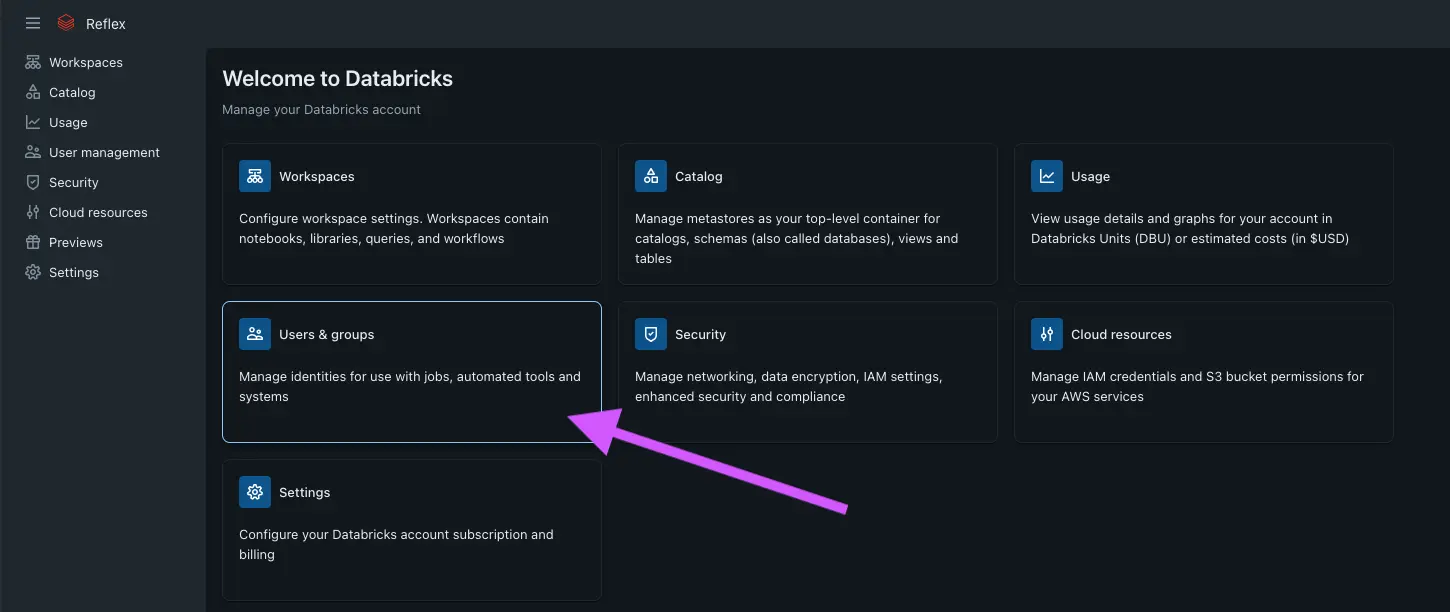
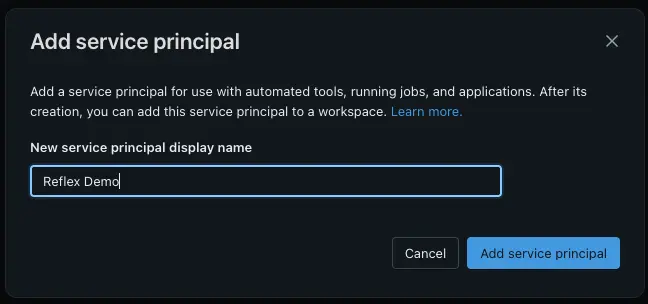
- Select the `Service Principals` tab and click `Add Service Principal`.

- Fill in the details and click `Add Service Principal`.
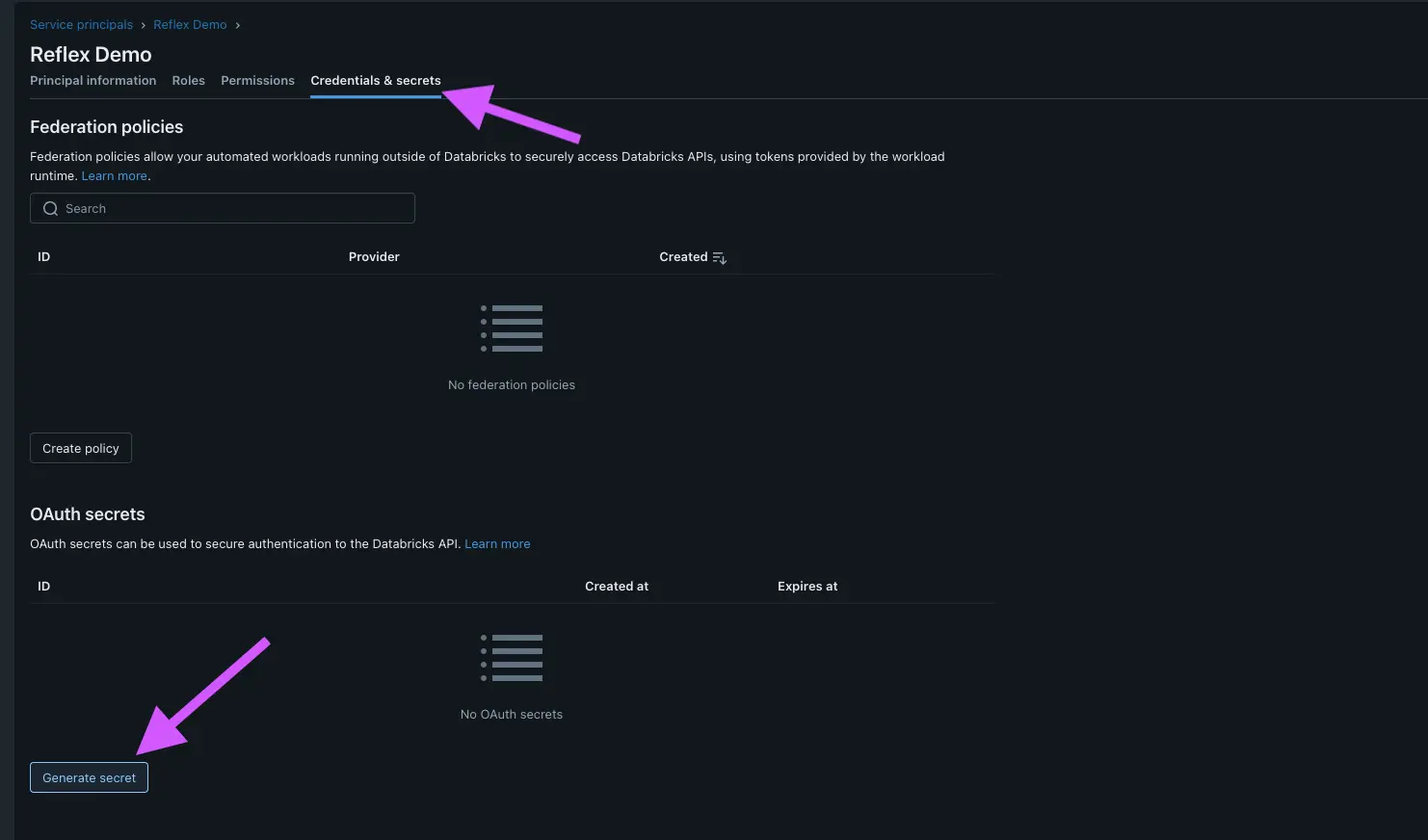
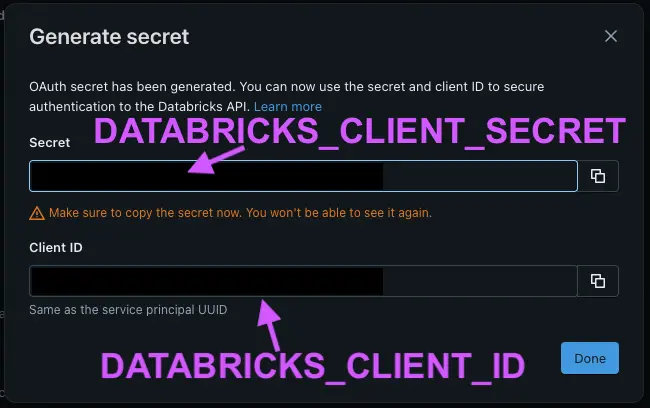
- Click the `Credentials and Secrets` tab and click `Generate Secret`.
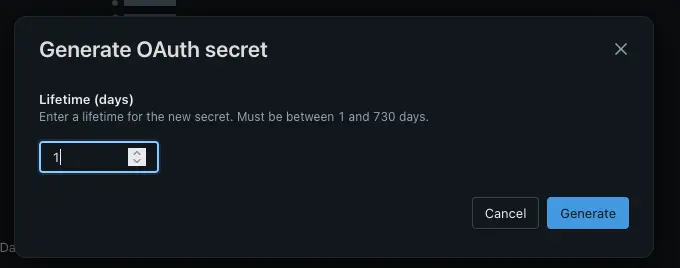
- Set a lifetime for the secrets and click `Generate`.
- Copy the generated **DATABRICKS_CLIENT_ID** and **DATABRICKS_CLIENT_SECRET**.
Once connected, the AI Builder can execute queries directly against your Databricks environment.
All APIs and uncheck Generate a client secret and then add.
https://build.reflex.dev/_reflex_oidc_databricks/authorization-code/callback