README.md
QGIS is a full-featured, user-friendly, free-and-open-source (FOSS) geographical information system (GIS) that runs on Unix platforms, Windows, and MacOS.
<!-- TOC generated with https://freelance-tech-writer.github.io/table-of-contents-generator/index.html -->Example: Temporal animation
Example: 3D map view
For more maps created with QGIS, visit the QGIS Map Showcase Flickr Group.
Example: Travel isochrones
Example: Model designer
Example: Style manager
Example: Plugins
<!-- Kill this one for now, since the example provided is Python2 not 3 Example: Python console 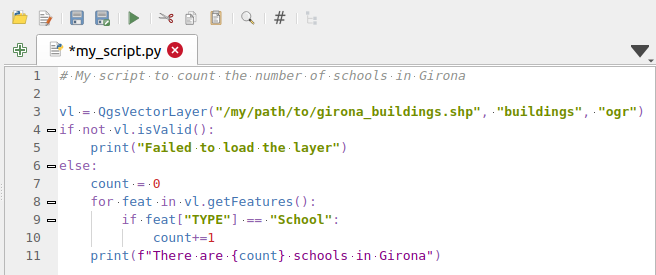 -->Headless map server -- running on Linux, macOS, Windows, or in a docker container -- that shares the same code base as QGIS.
Example: QGIS server WMS response
Example: QGIS server WFS response
QGIS is developed using the Qt toolkit and C++, since 2002, and has a pleasing, easy to use graphical user interface with multilingual support. It is maintained by an active developer team and supported by vibrant community of GIS professionals and enthusiasts as well as geospatial data publishers and end-users.
QGIS development and releases follow a time based schedule/roadmap. There are three main branches of QGIS that users can install. These are the Long Term Release (LTR) branch, the Latest Release (LR) branch, and the Development (Nightly) branch.
Every month, there is a Point Release that provides bug-fixes to the LTR and LR.
QGIS is released under the GNU Public License (GPL) Version 2 or any later version. Developing QGIS under this license means that you can (if you want to) inspect and modify the source code and guarantees that you, our happy user will always have access to a GIS program that is free of cost and can be freely modified.
QGIS is part of the Open-Source Geospatial Foundation (OSGeo), offering a range of complementary open-source GIS software projects.
Precompiled binaries for QGIS are available at the QGIS.org download page. Please follow the installation instructions carefully.
The building guide can be used to get started with building QGIS from source.
For installation of QGIS Server, see its getting started documentation.
A range of documentation is available. This includes:
There are several channels where you can find help and support for QGIS: